Pika Remix Examples
Real runs with MiniMax H3 and the Pika Remix workflow. Each one is laid out the way it sits on the canvas: the pictures and video in their loaders, the H3 Prompt Writer 🆎 with what was typed and picked, and the clip that came out. Nothing here was edited after the run.
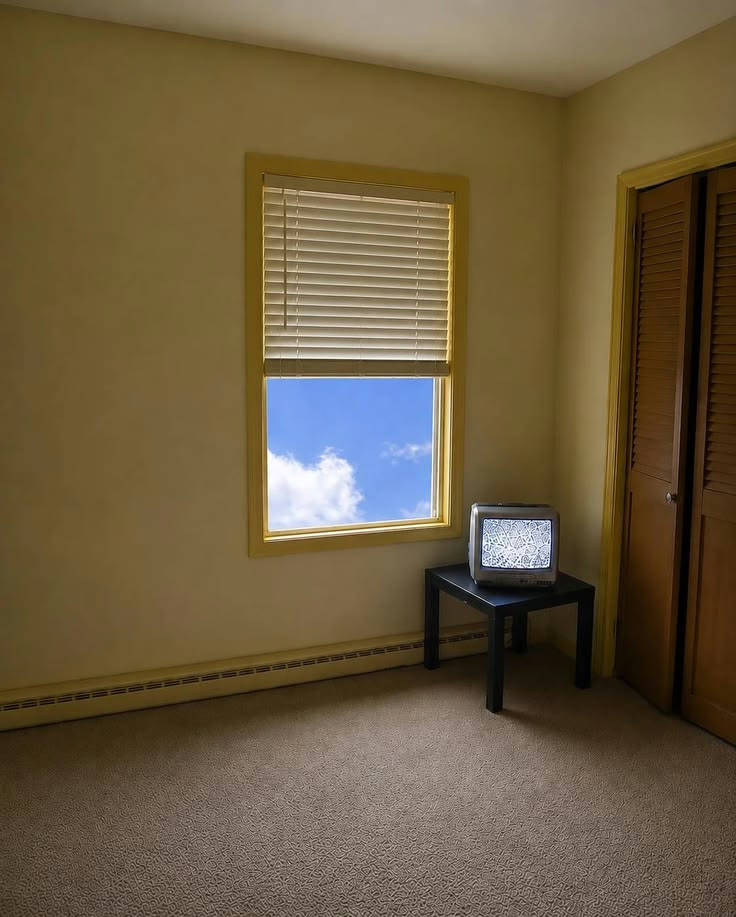
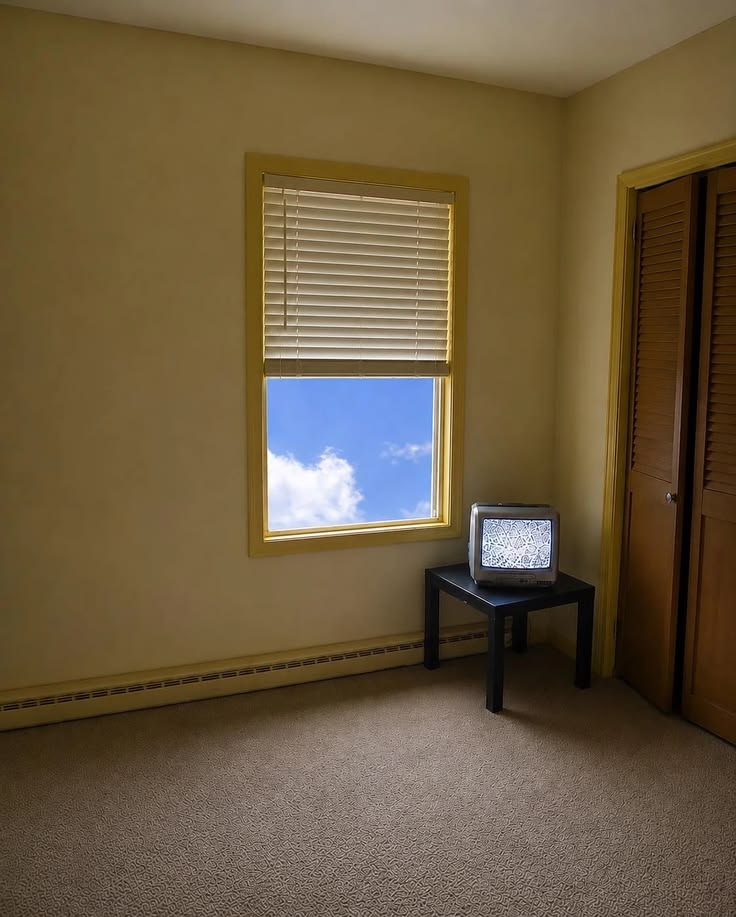
An empty room with a window and an old TV. Give the picture the job start on it and the clip opens on that exact picture, then does what you typed. No video is needed.
 @1start on it+ @2+ @3+ @4+ video
The prompt it wrote six parts, sent to H3
subject_definitions:
<Subject 1> is the main subject in <Picture 1>, with the same look.

summary:
[reference generation] In the target video, the clouds drift past the window and the old TV flickers with static.

retention_analysis:
<Subject 1> (appears in [Shot 1]): fully_preserved - the look is retained.

detailed_description:
The target video keeps the look, the light and the colours of <Picture 1>. One continuous shot with no cuts.
[Shot 1] <Subject 1> is as in <Picture 1>. The clouds drift past the window and the old TV flickers with static. Static hisses and crackles. At 00:02.500, the camera pushes in slowly toward the window.

overall_soundscape:
The steady sound of the place continues throughout.

non_diegetic_music:
N/A
Why it works
- Start on it makes the picture the first frame, so the room, the light and the framing stay exactly as they are.
- Say what moves and what the camera does, one short sentence each.
- With no video, the clip takes its length from the Seconds box.
Try it yourself
Get the MiniMax H3 Pika Remix workflow from Civitai, load these files in its loaders, type the same words, and set the Seed to 6202 and fixed. Then press Run. Results can differ a little on another graphics card. Stuck? Ask in the AusBoss Discord.
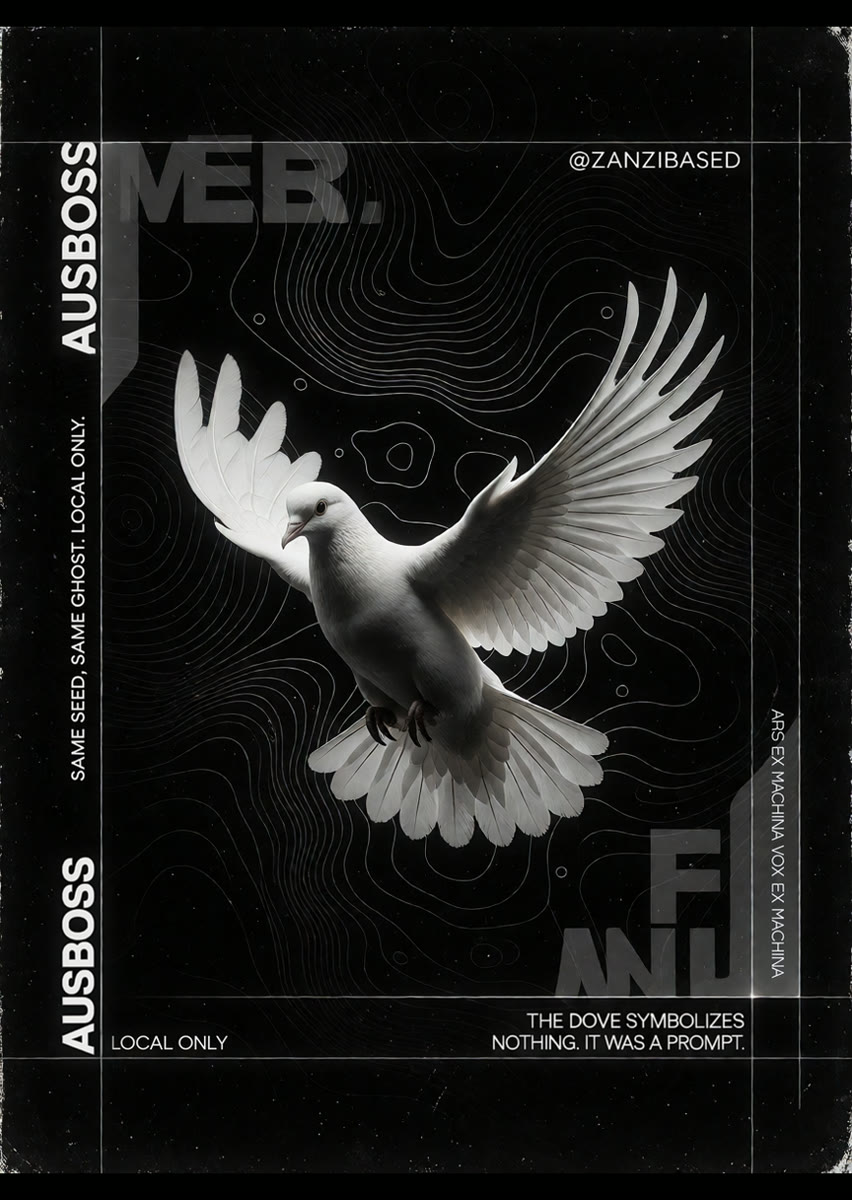
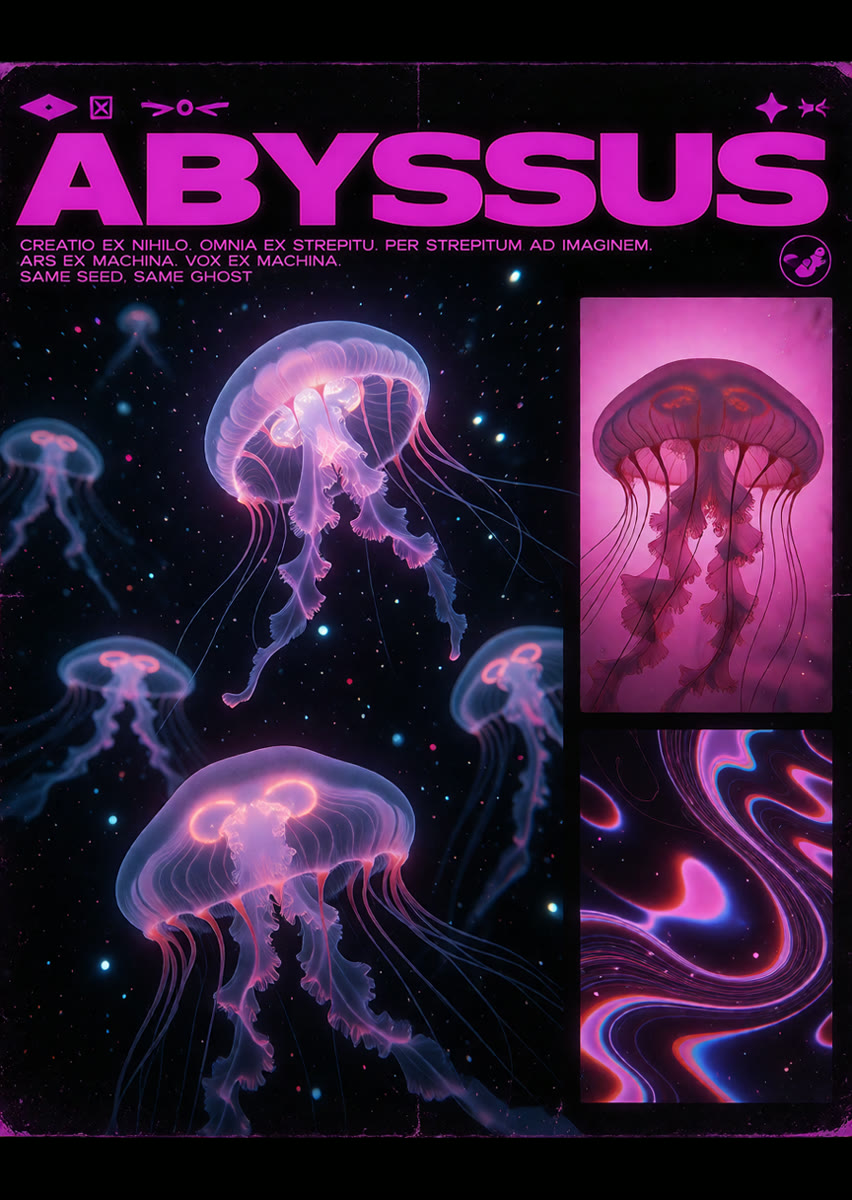
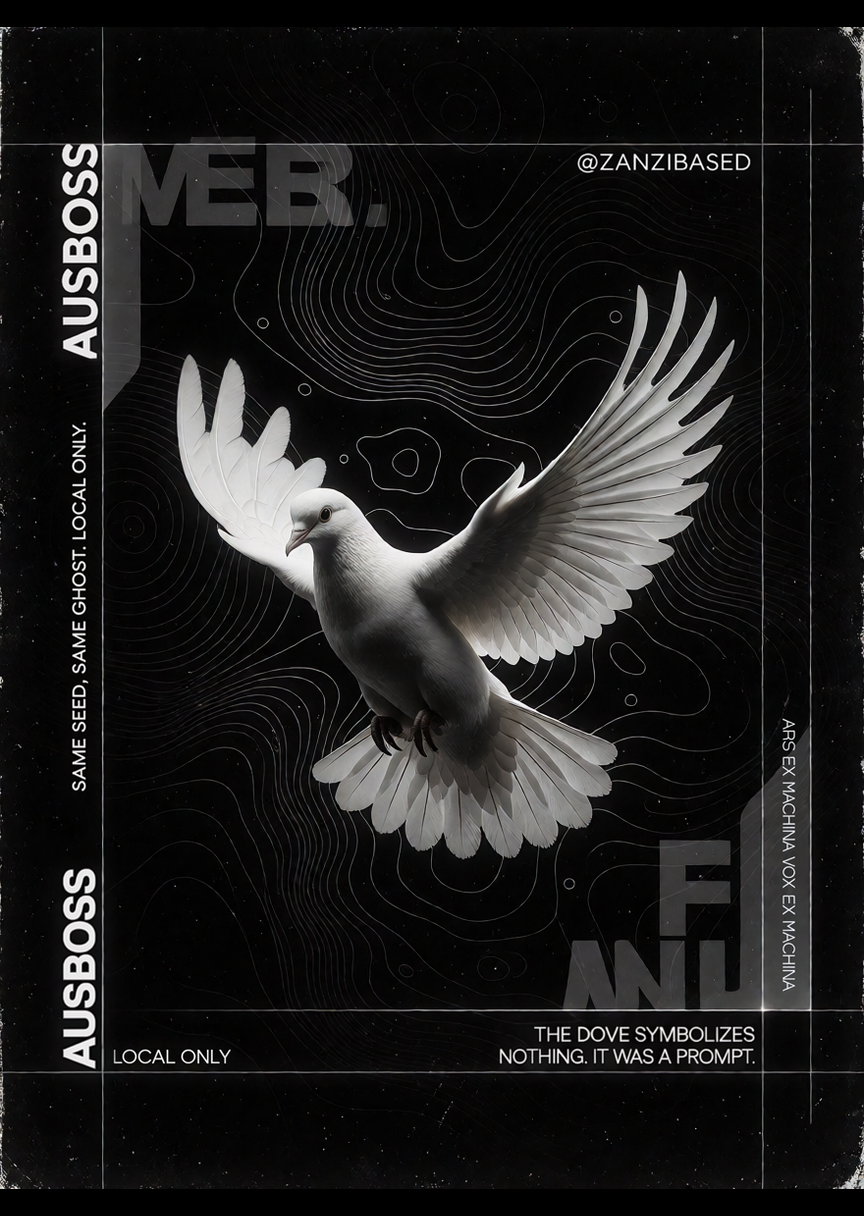
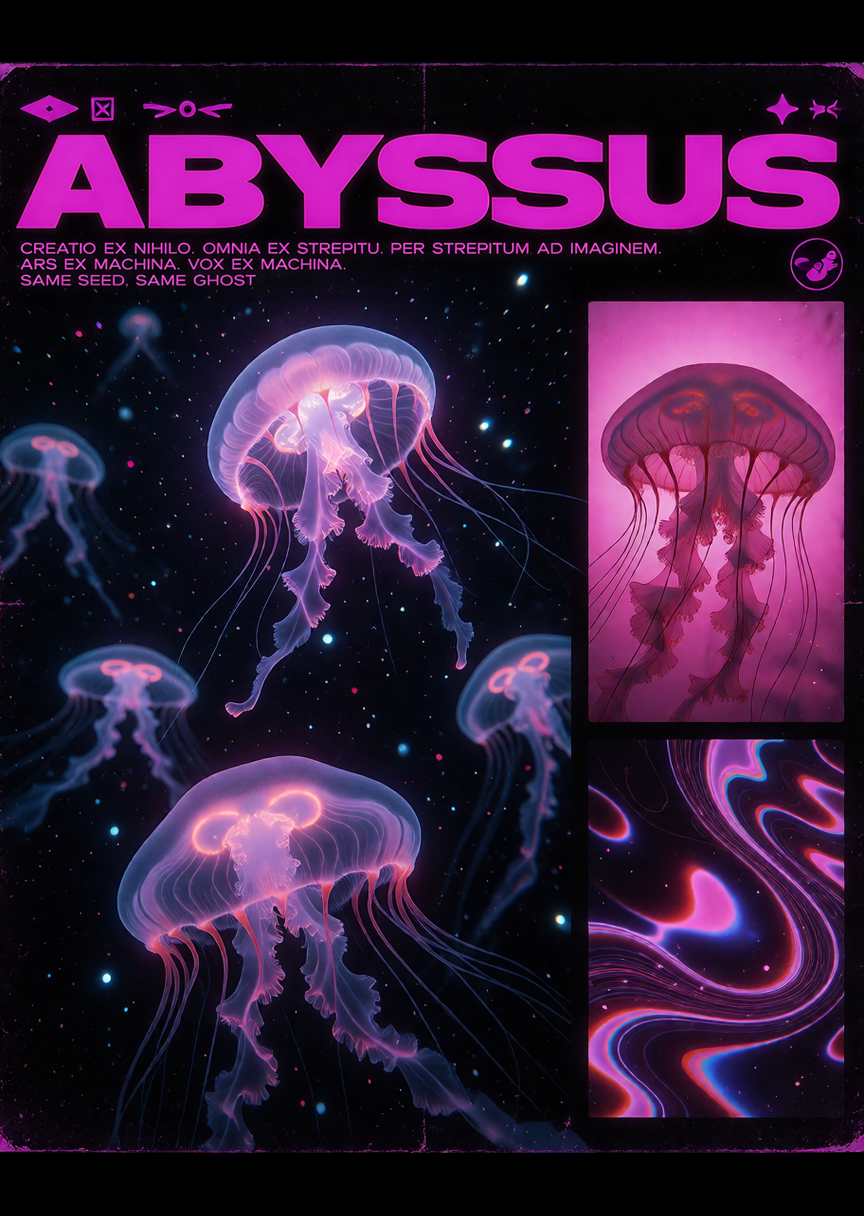
Two posters: a white dove and a sea of jellyfish. Give the first the job start on it and the second end on it, and say how one turns into the other. The clip starts on the first picture and lands on the second.
 @1start on it@2end on it+ @3+ @4+ video
The prompt it wrote six parts, sent to H3
subject_definitions:
<Subject 1> is the main subject in <Picture 1> and <Picture 2>, with the same look.
<Picture 1> is the first frame of [Shot 1], in the exact pose and framing of the picture.
<Picture 2> is the final frame of [Shot 1], defining the final pose, camera angle, lighting and composition.

summary:
[keyframe completion] In the target video, the thin lines behind the dove ripple and turn into dark water, moving from <Picture 1> to <Picture 2>.

retention_analysis:
<Subject 1> (appears in [Shot 1]): fully_preserved - the look is retained.
<Picture 1> ([Shot 1] first frame): fully_preserved - the opening framing, pose and light are retained.
<Picture 2> ([Shot 1] last frame): fully_preserved - the final framing, pose and light are retained.

detailed_description:
The target video keeps the look, the light and the colours of <Picture 1>. One continuous shot with no cuts.
[Shot 1] <Subject 1> is in the shot. The shot begins from <Picture 1>. The thin lines behind the dove ripple and turn into dark water. At 00:01.667, the dove's white feathers glow pink, its wings fold into a round bell and its tail trails into long tentacles as it becomes the big jellyfish. At 00:03.333, More jellyfish glow around it and the magenta title rises across the top. The shot ends on <Picture 2>.

overall_soundscape:
The steady sound of the place continues throughout.

non_diegetic_music:
N/A
Why it works
- End on it makes the picture the last frame. It isn't named with @ in the script: describe the change instead.
- Write the change in the order it happens. Three short beats fit in five seconds.
- Use the same picture for both jobs and you get a loop that starts and ends on the same frame.
Try it yourself
Get the MiniMax H3 Pika Remix workflow from Civitai, load these files in its loaders, type the same words, and set the Seed to 6202 and fixed. Then press Run. Results can differ a little on another graphics card. Stuck? Ask in the AusBoss Discord.
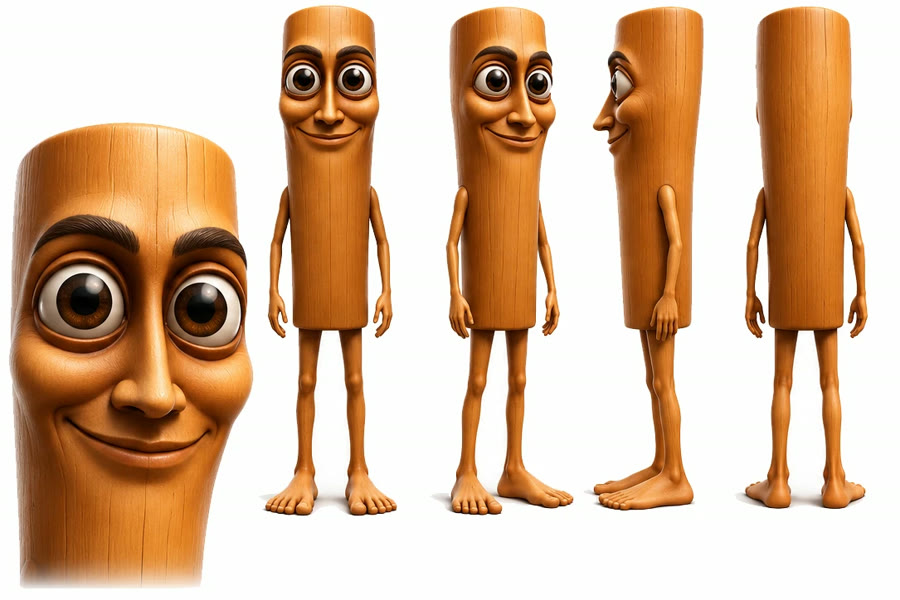
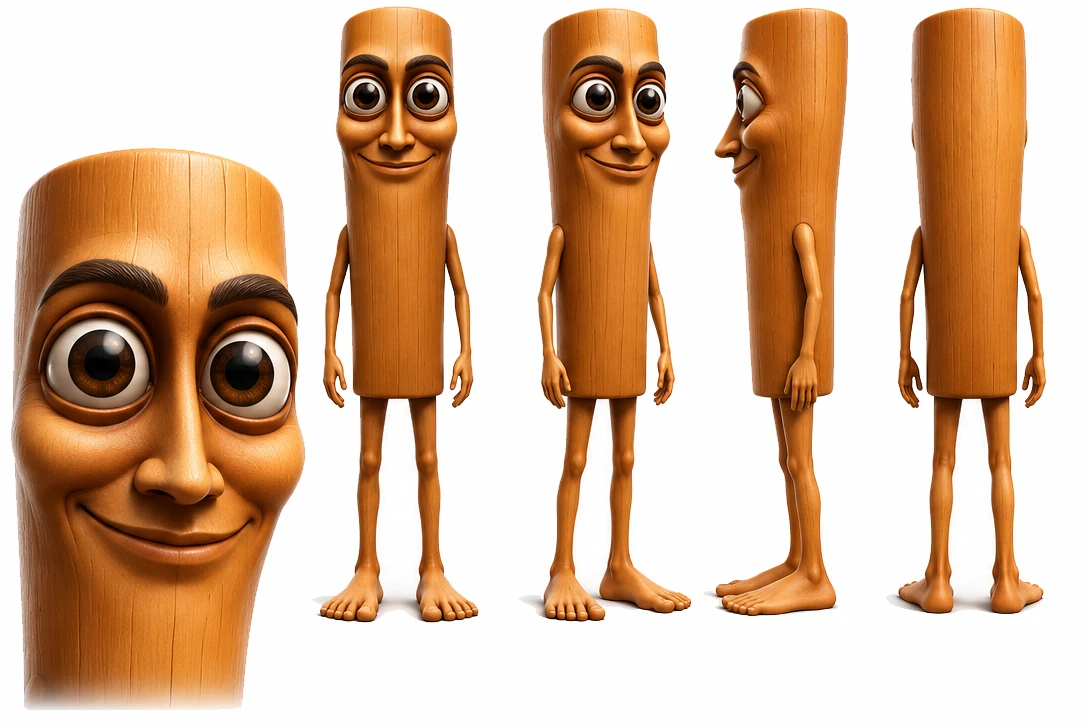
A kid in a parking lot asks his phone how to get rich. The goal was the same clip, same words and same timing, with Tung Tung Tung Sahur in his place. Load the clip, give the character picture the job person, pick swap the person, and say who goes and who comes in.
 @1person+ @2+ @3+ @4videoswap the person
The prompt it writes six parts, sent to H3
subject_definitions:
<Video 1> supplies the place, the action, the timing, the camera movement and the look.
<Subject 1> is the young man in the black "DEBLOAT" t-shirt in <Video 1>, selected for replacement.
<Subject 2> is the person in <Picture 1>, with the same face and this appearance: a cartoon 3D wooden log character: a tall upright cylinder of smooth light orange-brown wood with fine grain lines, big round brown eyes, thick dark eyebrows, a big rounded nose and a wide friendly smile carved into the front of the log, long thin wooden arms and legs and bare wooden feet, no clothes. The parking lot, the playground and the trees behind @1 stay the same. The background and lighting of <Picture 1> are not transferred.

summary:
[video editing + audio reuse] Replace <Subject 1> with <Subject 2> while preserving the original action, place, camera and look of <Video 1>.

retention_analysis:
<Video 1>: partially_preserved - keep the place, the action, the timing, the camera movement and the look; change only the person.
<Subject 1>: removed - replace the young man in the black "DEBLOAT" t-shirt with <Subject 2> throughout.
<Subject 2> (appears in [Shot 1]): attribute_transfer - apply the defined appearance to the original performance; the background of <Picture 1> is not transferred.

detailed_description:
Retain the look of <Video 1>.
[Shot 1] <Subject 2> occupies the starting position of the young man in the black "DEBLOAT" t-shirt and follows the same route, movements, timing and pace. <Subject 2> has the defined appearance from <Picture 1>: a cartoon 3D wooden log character: a tall upright cylinder of smooth light orange-brown wood with fine grain lines, big round brown eyes, thick dark eyebrows, a big rounded nose and a wide friendly smile carved into the front of the log, long thin wooden arms and legs and bare wooden feet, no clothes. The parking lot, the playground and the trees behind @1 stay the same. The replacement stays present throughout, from the first frame, ending at the original performance's final position. Do not show the young man in the black "DEBLOAT" t-shirt in that role at any time; there is no transition or morph into the replacement. Everyone else stays as they are in <Video 1>. <Subject 2> keeps the lips closed whenever <Subject 2> is not saying a line of <Subject 2>'s own. At 00:00.170, <Subject 2> (S1) says, each word landing exactly on the lip movement of <Video 1>, <d>[English] ChatGBT, ChatGBT, how I become a millionaire in 30 days?</d> The jaw and lips of <Subject 2> move clearly through every word. <Subject 2> closes the lips. The camera follows the movement of <Video 1>.

overall_soundscape:
The original sound of <Video 1> continues throughout.

non_diegetic_music:
N/A
Why it works
- Swap the person keeps the clip's place, camera, timing and moves, and changes only who is in it.
- With Clip sound on, the clip's own sound is kept and steers the new mouth, so the words stay in sync.
- The first line names who goes. The
@1 looks likeline describes the new character, which helps when the picture is a cartoon and not a photo.
Try it yourself
Get the MiniMax H3 Pika Remix workflow from Civitai, load these files in its loaders, type the same words, and set the Seed to 6202 and fixed. Then press Run. Results can differ a little on another graphics card. Stuck? Ask in the AusBoss Discord.
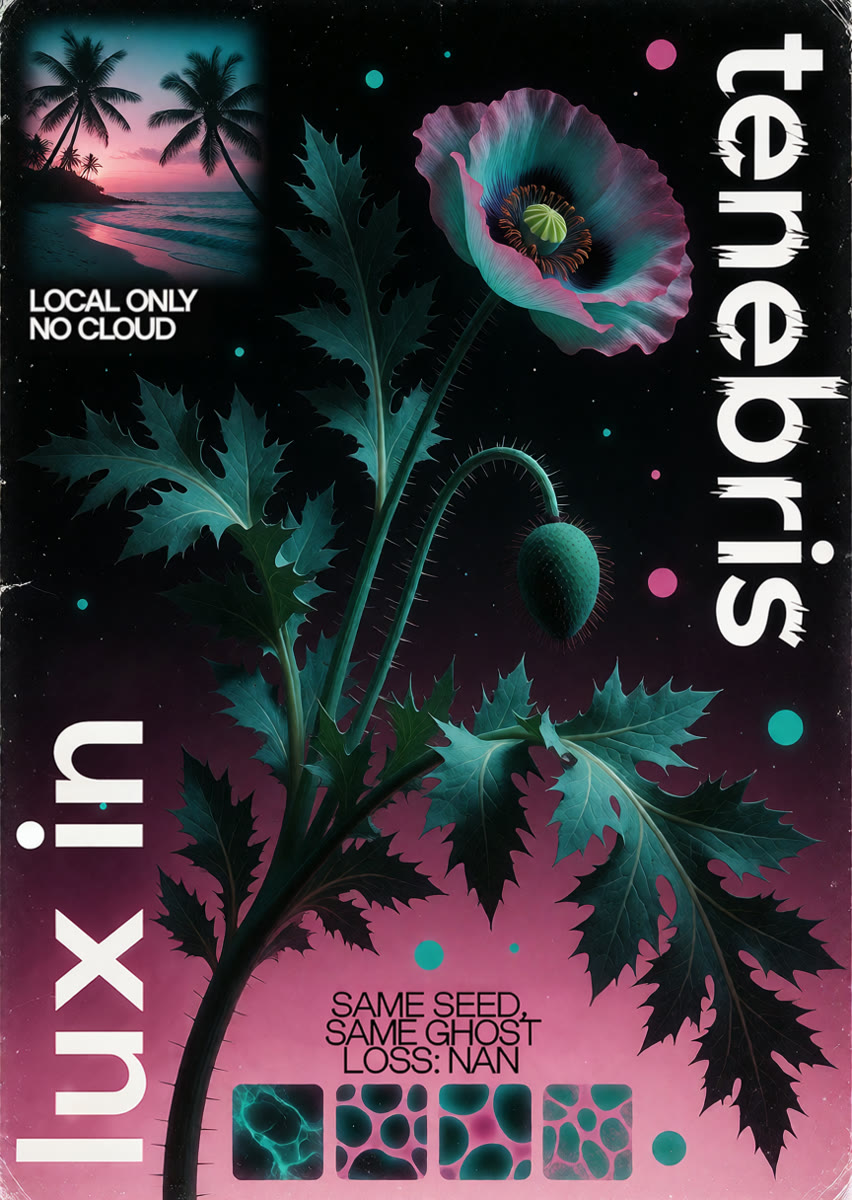
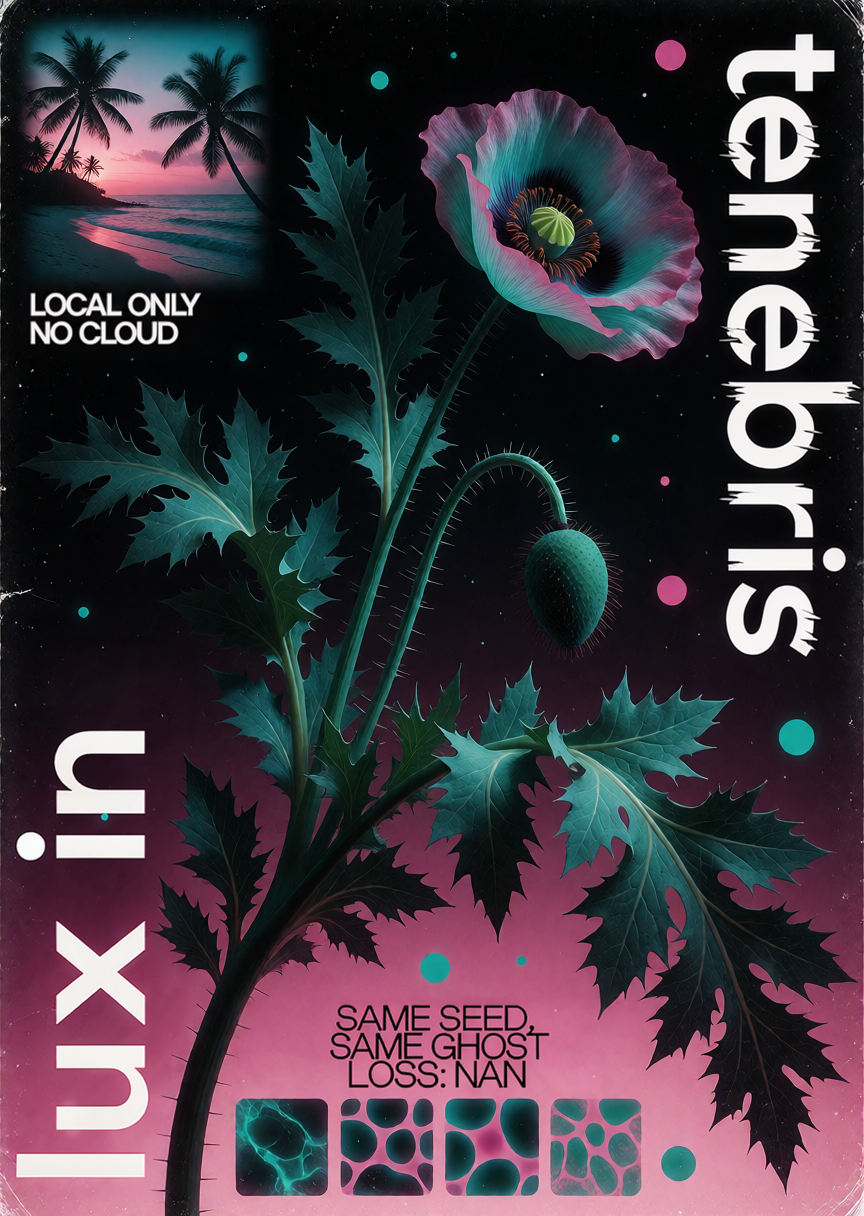
One poster, used twice: the same picture gets start on it and end on it. The clip moves and comes back to the exact first frame, so it plays as a seamless loop.
 @1start on it@2end on it+ @3+ @4+ video
The prompt it wrote six parts, sent to H3
subject_definitions:
<Subject 1> is the main subject in <Picture 1> and <Picture 2>, with the same look.
<Picture 1> is the first frame of [Shot 1], in the exact pose and framing of the picture.
<Picture 2> is the final frame of [Shot 1], defining the final pose, camera angle, lighting and composition.

summary:
[keyframe completion] In the target video, the big poppy slowly closes its petals into a bud, turns on its stem, and opens again, moving from <Picture 1> to <Picture 2>.

retention_analysis:
<Subject 1> (appears in [Shot 1]): fully_preserved - the look is retained.
<Picture 1> ([Shot 1] first frame): fully_preserved - the opening framing, pose and light are retained.
<Picture 2> ([Shot 1] last frame): fully_preserved - the final framing, pose and light are retained.

detailed_description:
The target video keeps the look, the light and the colours of <Picture 1>. One continuous shot with no cuts.
[Shot 1] <Subject 1> is in the shot. The shot begins from <Picture 1>. The big poppy slowly closes its petals into a bud, turns on its stem, and opens again. At 00:01.600, the jagged leaves curl in and spread back out. At 00:03.200, the small dots orbit the stem in a circle. At 00:04.800, the palm trees in the little picture sway and the pink sea rolls in. At 00:06.400, the printed type stays in place. The shot ends on <Picture 2>.

overall_soundscape:
The steady sound of the place continues throughout.

non_diegetic_music:
N/A
Why it works
- Load the same picture in two loaders: one with start on it, one with end on it.
- Pick motion that can come back to where it started: something closes and opens, turns all the way round, or sways.
- Say what must not move, here the printed type, so the words stay sharp the whole time.
Try it yourself
Get the MiniMax H3 Pika Remix workflow from Civitai, load these files in its loaders, type the same words, and set the Seed to 6202 and fixed. Then press Run. Results can differ a little on another graphics card. Stuck? Ask in the AusBoss Discord.
A woman waits on a subway platform. Load the clip, pick keep going, and say what happens next. The new clip starts where the old one stopped, in the same place and look.
The prompt it wrote six parts, sent to H3
subject_definitions:
<Video 1> is the video being continued, and the target video starts from its last moment.
<Subject 1> is the main subject in <Video 1>, with the same look.
<Audio 1> is the soundtrack of <Video 1>, whose sound carries on in the target video.

summary:
[video continuation + audio reference] The target video continues directly from the end of <Video 1> in the same place.

retention_analysis:
<Video 1> (continuation point): fully_preserved - the place, the light, the colours and the camera carry on from its last moment.
<Subject 1> (appears in [Shot 1]): fully_preserved - the look is retained.
<Audio 1>: reference - the sound continues without copying the source signal.

detailed_description:
The target video keeps the look, colours and camera of <Video 1>. One continuous shot with no cuts.
[Shot 1] <Subject 1> is in the shot. The shot carries straight on from the end of <Video 1>. The next train pulls in behind her and stops. The train rumbles on the rails. At 00:02.500, the doors slide open, she turns and steps on board, and the doors close behind her. The door creaks and thuds.

overall_soundscape:
The sound of <Audio 1> continues throughout the target video.

non_diegetic_music:
N/A
Why it works
- Connect the whole clip. The writer sends H3 only its last 2 seconds to carry on from.
- Leave the box empty and it just carries on, or say what happens next.
- No words in quotes means no one speaks. Join the two clips end to end in any editor.
Try it yourself
Get the MiniMax H3 Pika Remix workflow from Civitai, load these files in its loaders, type the same words, and set the Seed to 6202 and fixed. Then press Run. Results can differ a little on another graphics card. Stuck? Ask in the AusBoss Discord.
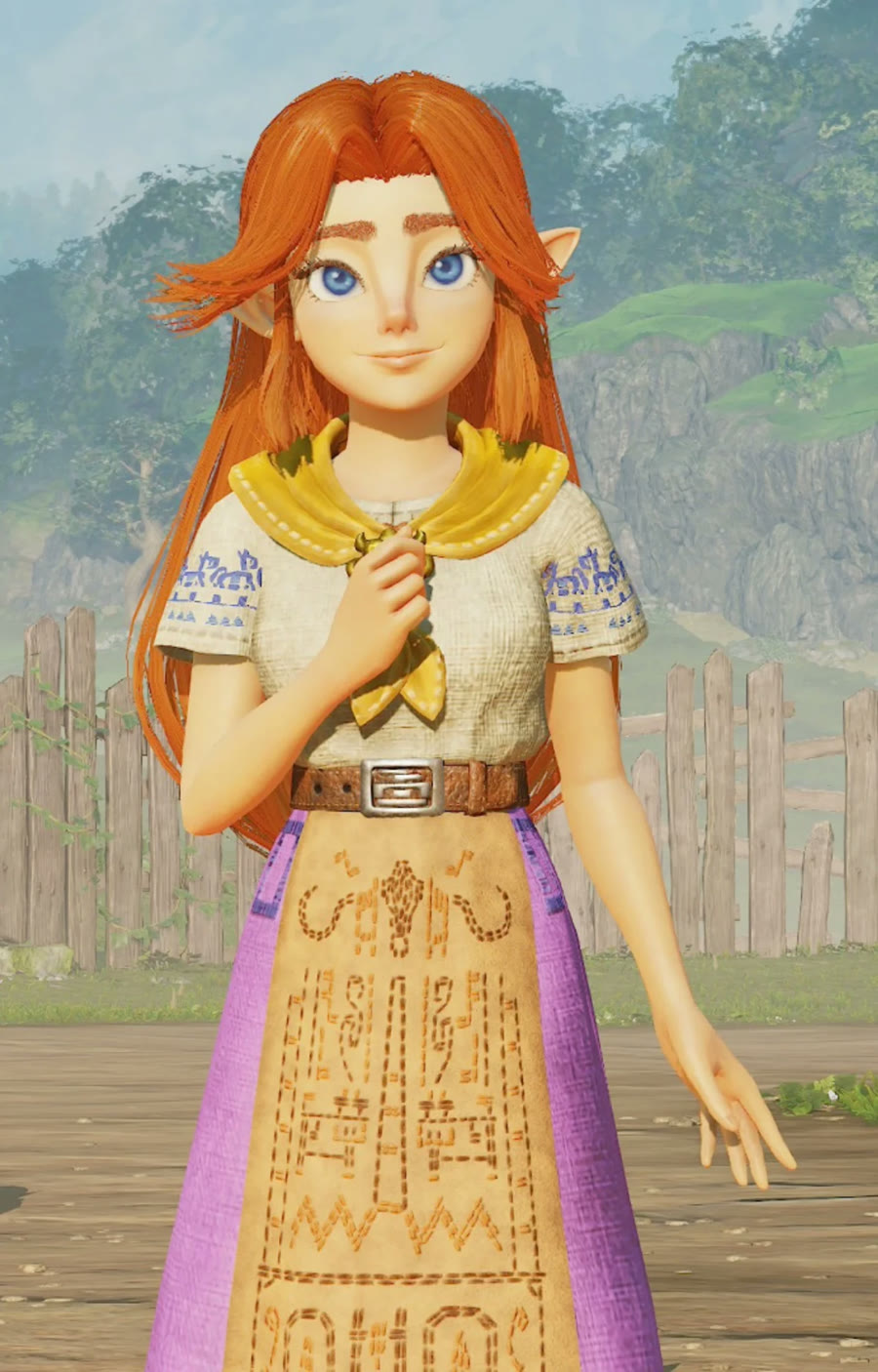
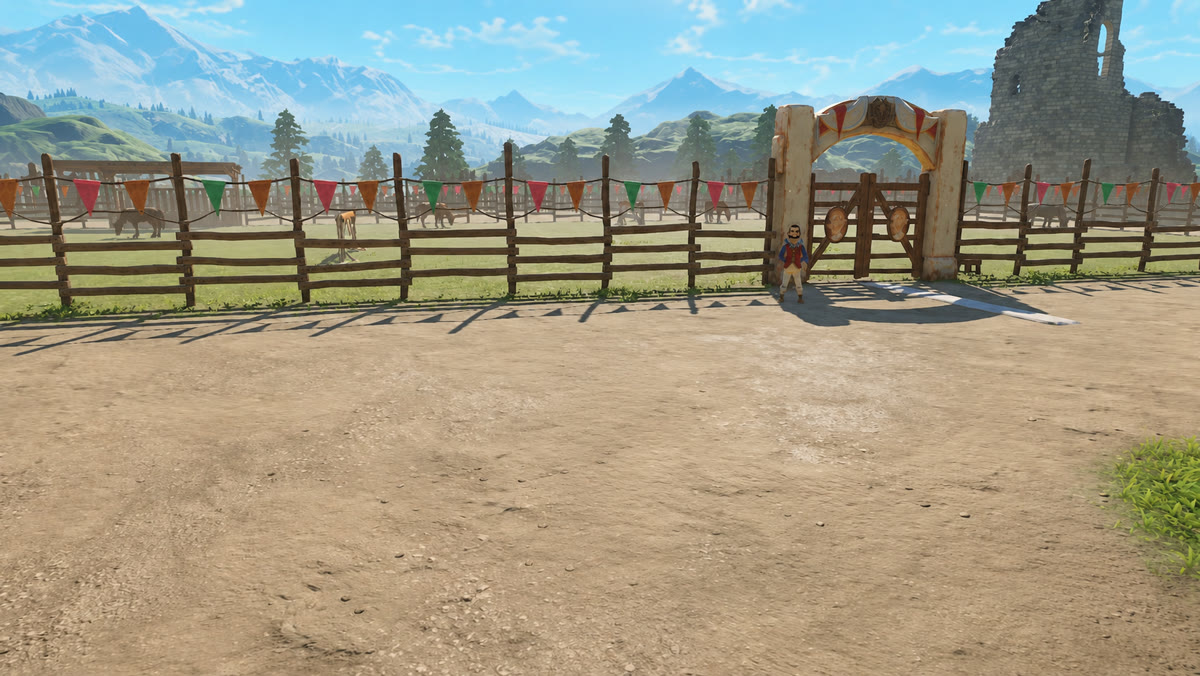
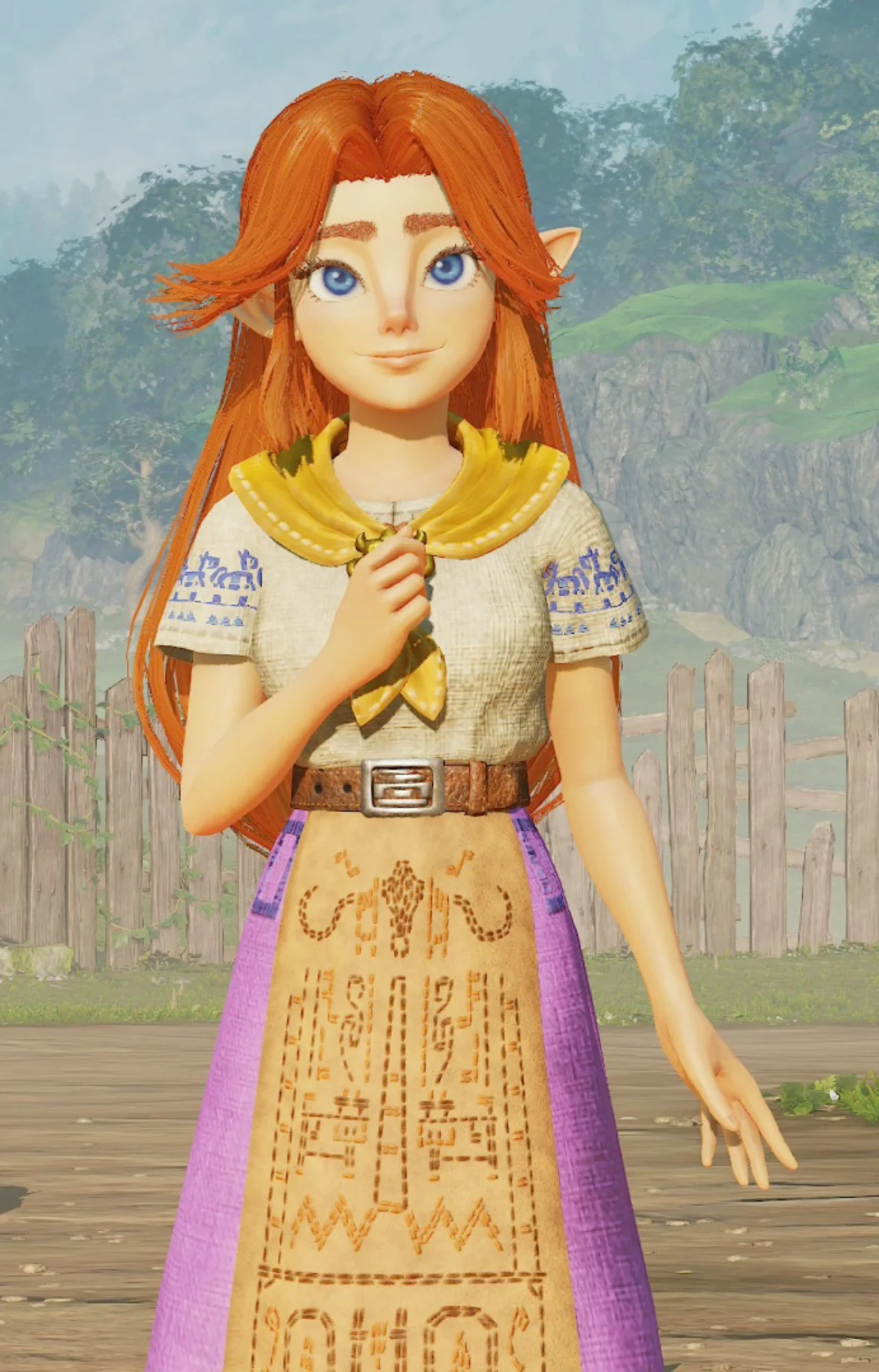
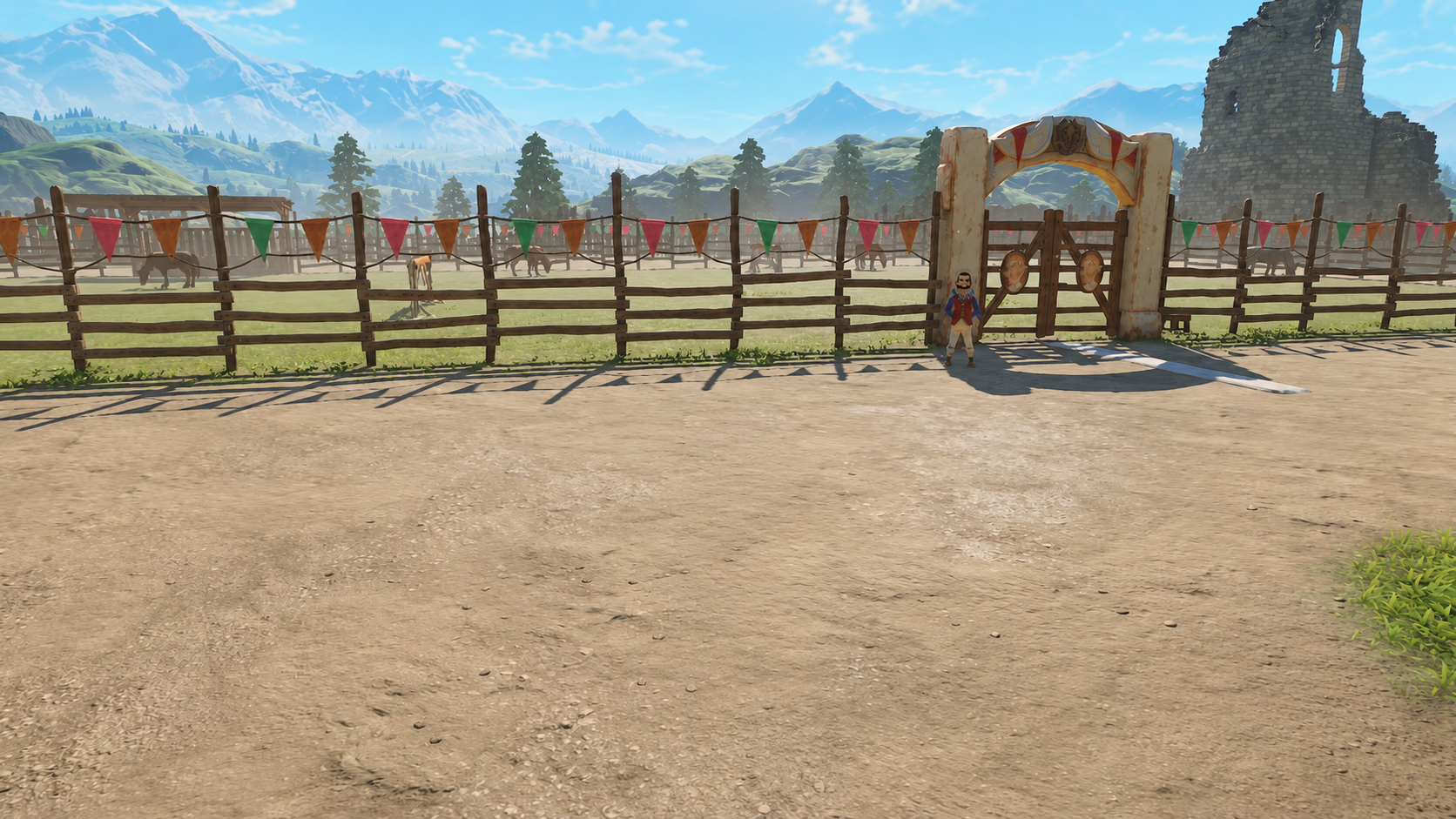
A two-second shot of a man holding a pistol sideways at the camera. With change something, a person picture and a place picture, he becomes a game character on a ranch, and a look: line turns the whole shot into a 3D game render. The moves and the camera stay.
 @1person@2place+ @3+ @4videochange something
The prompt it wrote six parts, sent to H3
subject_definitions:
<Video 1> supplies the place, the person, the action, the timing, the camera movement, the look and the sound.
<Subject 3> is the person in <Video 1>, kept as they are: the same face, hair, body and movements, with only what the script names changed.
<Subject 1> is the person in <Picture 1>, with the same face, hair and clothes.
<Subject 2> is the place in <Picture 2>, with the same layout, light and colours. Any people in <Picture 2> are not reused.

summary:
[video editing] The bald man in the white t-shirt is replaced by <Subject 1>, a young woman with long red-orange hair and pointed elf ears. The locker room behind her is replaced by <Subject 2>. Everything else in <Video 1> is kept.

retention_analysis:
<Video 1>: partially_preserved - keep the place, the person, the action, the timing, the camera movement, the look and the sound; change only what the script names.
<Subject 3> (appears in [Shot 1]): fully_preserved - the face, hair and every movement are retained; only what the script names changes.
<Subject 1> (appears in [Shot 1]): fully_preserved - the face, hair and clothes are retained. The background of <Picture 1> is not kept.
<Subject 2> (appears in [Shot 1]): fully_preserved - the place is retained.

detailed_description:
Stylized 3D game render with smooth 3D character models, soft toon shading and bright clear daylight. Nothing is live action. One continuous shot with no cuts.
[Shot 1] The bald man in the white t-shirt is replaced by <Subject 1>, a young woman with long red-orange hair and pointed elf ears. At 00:01.167, the locker room behind her is replaced by <Subject 2>. <Subject 3> has the same words, mouth movements and moves as in <Video 1>. Everything else stays as it is in <Video 1>. The camera follows the movement of <Video 1>.

overall_soundscape:
The original sound of <Video 1> continues throughout.

non_diegetic_music:
N/A
Why it works
- Change something keeps the clip's moves, camera and timing, and changes only what you name.
- One line per change: who comes in, and what replaces the background.
- A line that starts with
look:sets the style of the whole clip.
Try it yourself
Get the MiniMax H3 Pika Remix workflow from Civitai, load these files in its loaders, type the same words, and set the Seed to 6202 and fixed. Then press Run. Results can differ a little on another graphics card. Stuck? Ask in the AusBoss Discord.
The clip is a shot from a film, so it isn't offered here. Any short clip of one person facing the camera works.
A yellow emoji hand wags its finger. The goal was the same wag, done by a plain white outline hand, with no yellow left anywhere. Give the drawing the job thing, pick copy its moves for the video, and write one line saying the drawing does the action.
 @1thing+ @2+ @3+ @4videocopy its moves
The prompt it wrote six parts, sent to H3
subject_definitions:
<Subject 1> is the character in <Picture 1>, with the same shape, colours and drawing style.
<Subject 2> is the body motion in <Video 1>: its moves, gestures and timing.
<Video 1> provides the camera movement.

summary:
[reference generation] In the target video, <Subject 1> waves its finger. <Subject 1> performs the same moves as <Subject 2>, at the same timing.

retention_analysis:
<Subject 1> (appears in [Shot 1]): fully_preserved - the shape, colours and drawing style are retained. The background of <Picture 1> is not kept.
<Subject 2> (appears in [Shot 1]): attribute_transfer - apply only the body motion, choreography and timing to <Subject 1>; keep the source performer's face, body, clothes, props, background and colours out of the target.
<Video 1>: attribute_transfer - apply only its camera movement to the target scene.

detailed_description:
The target video keeps the colours and the film grain of <Picture 1>. One continuous shot with no cuts.
[Shot 1] <Subject 1> waves its finger. At 00:00.458, Finger stops waving. <Subject 1> performs the same moves as <Subject 2>, at the same timing.

overall_soundscape:
Low hum of air conditioner, distant chatter, steady heartbeat.

non_diegetic_music:
N/A
Why it works
- With copy its moves and no person picture, a thing that your line makes do the action takes the moves in its own look.
- A thing that is only held or worn stays a prop. Here the line says
@1 waves its finger, so the drawing is the one moving. - The clip keeps the video's own length, so the length setting is not used.
Try it yourself

Get the MiniMax H3 Pika Remix workflow from Civitai, load these files in its loaders, type the same words, and set the Seed to 6202 and fixed. Then press Run. Results can differ a little on another graphics card. Stuck? Ask in the AusBoss Discord.
This one needs the H3 Prompt Writer from the next AusBoss nodes update. On 2.26.2 and earlier, copy its moves needs a person picture, so the writer stops and asks for a different setup.
The start was a quick 3D clip made of plain shapes: a flight down a server aisle, a rise over the racks, then a pull-back that reveals the hall sits on a graphics card in a PC on a desk. Two photos set the look: a real server room and a real gaming PC. The first pass turned the shapes into a photoreal take. The second pass, in the Pika Remix workflow, cleaned that take up and matched the PC to the photo.
First take: paint the 3D clip from two photos
H3's reference mode with the 3D clip as the video and both photos as pictures. The prompt keeps the clip's camera path and timing and replaces the flat surfaces with the photos' materials.

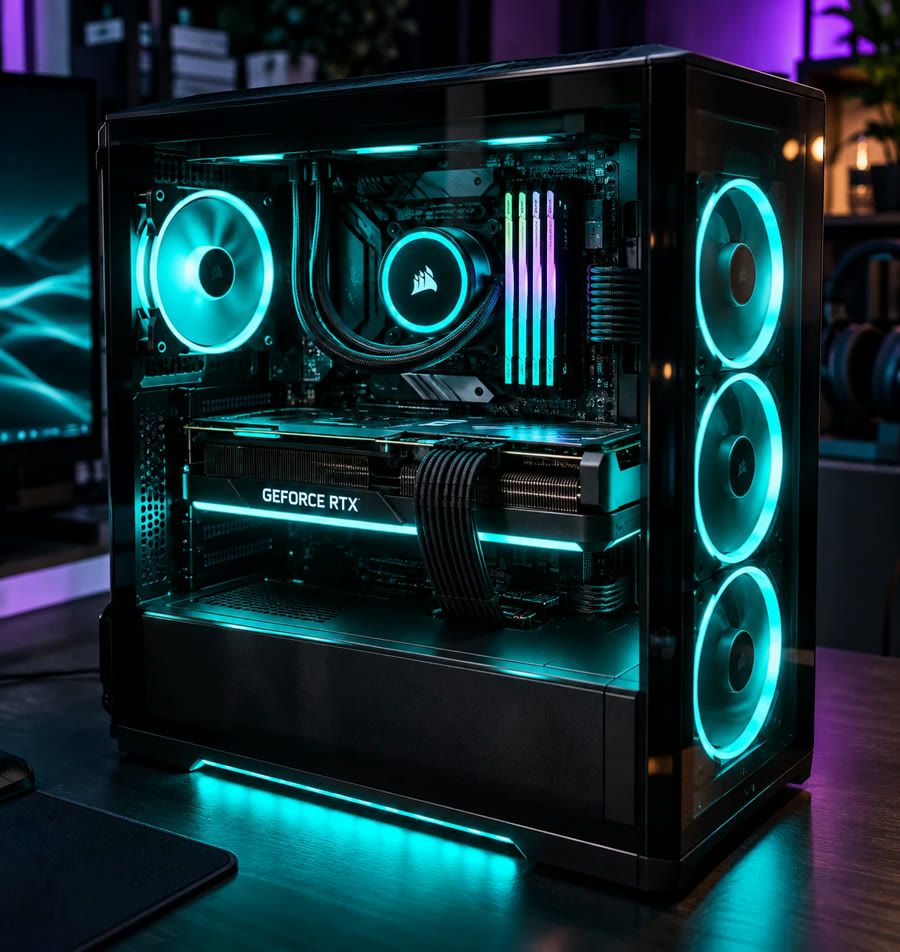
The first take's prompt written by hand
subject_definitions:
<Subject 1> is the server hall in <Picture 1>: a long, photoreal data-center aisle between tall black server racks, lime-yellow neon strips along the rack tops and the floor edges, glowing lime price displays on every rack, thick yellow cables in trays on the ceiling, a white light strip overhead, a polished dark floor with metal grates and light haze.
<Subject 2> is the gaming PC in <Picture 2>: a black glass-sided tower on a dark wooden desk, three teal-lit ring fans on the front, a teal-ringed CPU cooler, RGB memory sticks, a large GeForce RTX graphics card with a teal light bar, purple and teal room light behind it.
<Subject 3> is the camera path of <Video 1>: a steady glide forward down the aisle, a rise up over the hall looking down on the rows, a fast pull-back revealing the hall sitting on a graphics card, then a slow pull-back and gentle arc around the PC on a desk.
<Video 1> is the source video for the target video edit.

summary:
[video editing + reference generation] The target video is an edited version of <Video 1>. It keeps every camera move and its timing from <Video 1> as <Subject 3>, and repaints the simple 3D shapes as real, photographed places: the server aisle becomes <Subject 1> and the computer becomes <Subject 2>.

retention_analysis:
<Video 1> (source edit, camera and timing): partially_preserved - the camera path, framing, timing and the layout of racks, aisle and PC stay; the flat 3D surfaces are replaced with photoreal materials.
<Subject 1> (appears in [Shot 1]): fully_preserved - the look of the racks, lime neon, price displays, cable trays and floor.
<Subject 2> (appears in [Shot 1]): fully_preserved - the tower, teal fans, RTX card and desk.
<Subject 3> (appears in [Shot 1]): fully_preserved - the glide, rise, pull-back and arc, at the same speed.

detailed_description:
Live-action, cinematic, photoreal, shot on a large-sensor camera with deep blacks, glowing neon and soft haze.
[Shot 1] The shot follows <Video 1> exactly. It opens inside <Subject 1>: the camera glides forward with medium amplitude at a steady speed down the center of the aisle, black racks on both sides covered in small lime status lights, lime neon running along the rack tops toward the vanishing point, glowing lime price displays reading "-$4.92" and "-100 CR" on the racks, yellow cables in ceiling trays and a white light strip above. At 00:01.300 the camera rises up over the racks and tilts down, looking along the rows of the hall from above, the lime neon lines stretching away. At 00:02.200 the camera pulls back fast with large amplitude: the whole glowing hall turns out to be sitting on the graphics card inside <Subject 2>, and its lights shift from lime to teal. From 00:02.800 the camera keeps pulling back slowly with small amplitude and arcs a little to the left around <Subject 2> on the dark wooden desk, the three front ring fans glowing teal, the RTX card's light bar glowing, purple and teal light in the room behind. No people appear.

overall_soundscape:
A low electrical hum of servers and fans, a soft rush of air as the camera moves, then the quiet whir of PC fans on a desk.

non_diegetic_music:
N/A
Second pass: the Pika Remix workflow
The first take goes in as the video. Picture 1 gets the job place, Picture 2 gets thing, and the video job is change something, so the camera move and timing stay and only what the script names changes.
 @1place@2thing+ @3+ @4videochange something
The prompt it wrote six parts, sent to H3
subject_definitions:
<Video 1> supplies the action, the timing, the camera movement and the sound.
<Subject 1> is the place in <Picture 1>, with the same layout, light and colours. Any people in <Picture 1> are not reused.
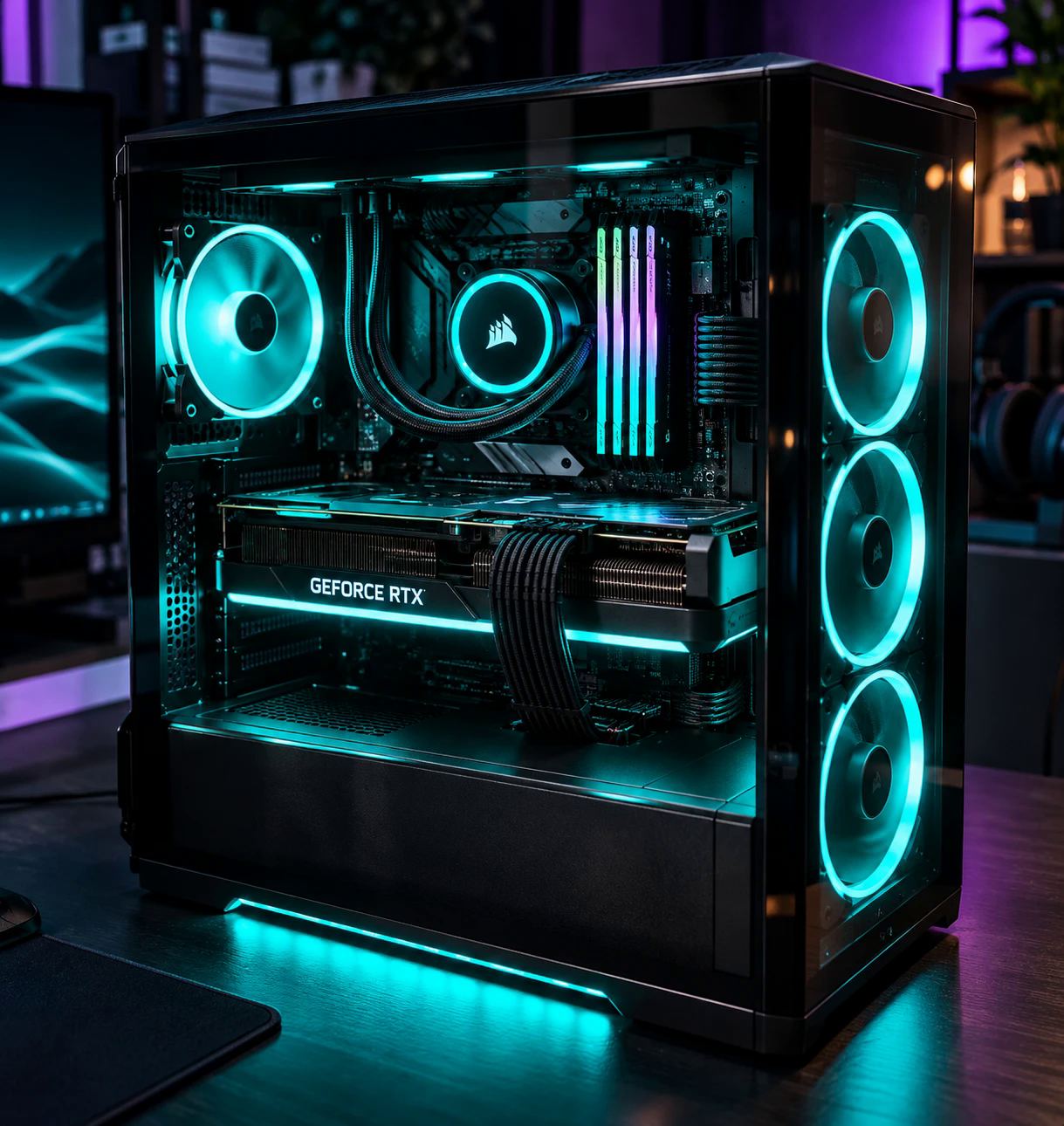
<Subject 2> is the object in <Picture 2>, with the same shape, colours and lettering.

summary:
[video editing + audio reuse] Keep the exact camera movement, aisle depth, ceiling yellow cable trays, metal floor tiles, GPU heatsink transition, and desk pull-back of the video, upgrade it to crisp photoreal detail: make the server aisle match <Subject 1> with clean dark rack telemetry panels and glowing lime LED edge strips without garbled text, and during the pull-back from the GPU to the desk transform the tower into the exact black glass-sided PC of <Subject 2> with three teal ring fans on the front, a teal Corsair CPU cooler ring, RGB RAM sticks, and a sharp GEFORCE RTX light bar. Everything else in <Video 1> is kept.

retention_analysis:
<Video 1>: partially_preserved - keep the action, the timing, the camera movement and the sound; change only what the script names.
<Subject 1> (appears in [Shot 1]): fully_preserved - the place is retained.
<Subject 2> (appears in [Shot 1]): fully_preserved - the shape, colours and lettering are retained. The background of <Picture 2> is not kept.

detailed_description:
The target video keeps the colours and the film grain of <Picture 1>.
[Shot 1] Keep the exact camera movement, aisle depth, ceiling yellow cable trays, metal floor tiles, GPU heatsink transition, and desk pull-back of the video, upgrade it to crisp photoreal detail: make the server aisle match <Subject 1> with clean dark rack telemetry panels and glowing lime LED edge strips without garbled text, and during the pull-back from the GPU to the desk transform the tower into the exact black glass-sided PC of <Subject 2> with three teal ring fans on the front, a teal Corsair CPU cooler ring, RGB RAM sticks, and a sharp GEFORCE RTX light bar. Everything else stays as it is in <Video 1>. The camera follows the movement of <Video 1>.

overall_soundscape:
The original sound of <Video 1> continues throughout.

non_diegetic_music:
N/A
Why it works
- A rough 3D clip is enough to set the camera path and timing. H3 keeps the move and repaints the surfaces from the photos.
- Change something keeps the video's camera move, timing and sound, and changes only what the script names.
- A place picture sets the look of the room. Nobody from the photo is carried over, and no person is made up for an empty room.
- A thing picture keeps its shape, colours and lettering, so the PC comes out as the one in the photo.
Try it yourself

Get the MiniMax H3 Pika Remix workflow from Civitai, load these files in its loaders, type the same words, and set the Seed to 6202 and fixed. Then press Run. Results can differ a little on another graphics card. Stuck? Ask in the AusBoss Discord.
These files are for the second pass. The first take was made by hand from a 3D clip, as step 1 shows.