Person Swap Examples
Real runs of the Person Swap workflow: one photo of a person, one clip, and the person in the clip is replaced. The clip's place, camera, moves and sound stay. Each one is laid out the way it sits on the canvas: the photo and the clip in their loaders, the H3 Prompt Writer 🆎 with what was typed, and the clip that came out. Nothing here was edited after the run.
A man in a suit holds up an ice cream cone in his car and talks to the camera. One picture of a real-life take on a cartoon dad, and one line saying who goes.
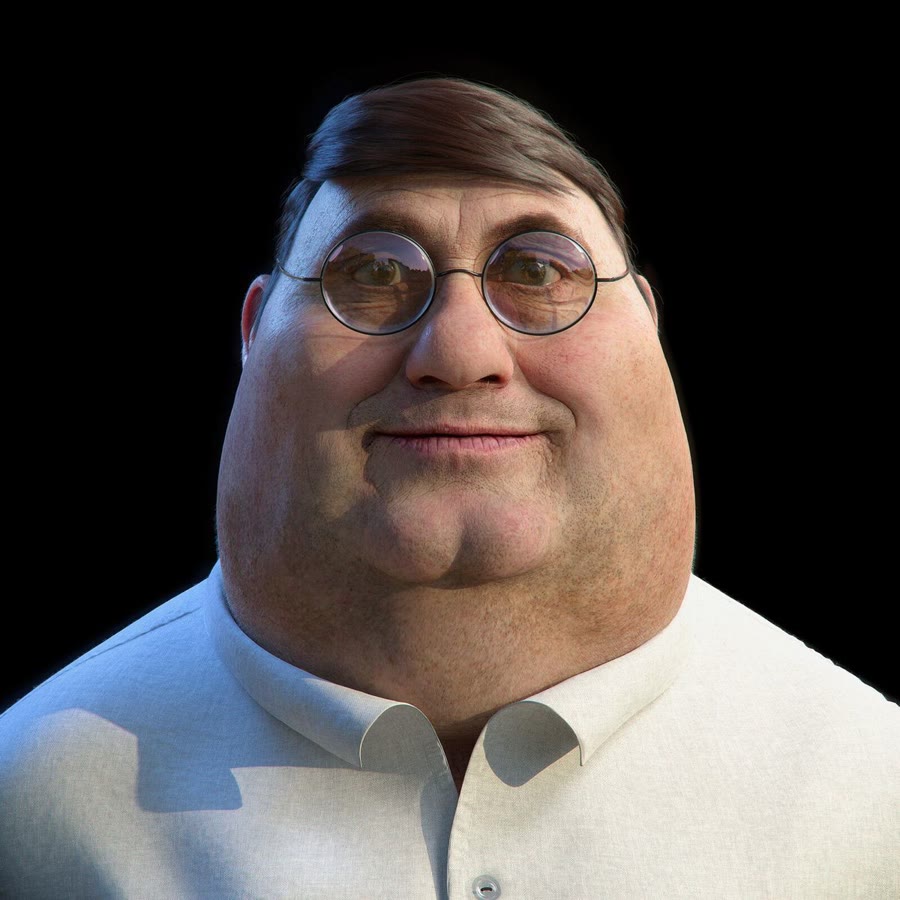 @1person+ @2+ @3+ @4videoswap the person
The prompt it wrote six parts, sent to H3
subject_definitions:
<Video 1> supplies the place, the action, the timing, the camera movement and the look.
<Subject 1> is the man in the suit holding an ice cream in <Video 1>, selected for replacement.
<Subject 2> is the person in <Picture 1>, with the same face and this appearance: a man with short brown hair and round wire-framed glasses. The background and lighting of <Picture 1> are not transferred.

summary:
[video editing + audio reuse] Replace <Subject 1> with <Subject 2> while preserving the original action, place, camera and look of <Video 1>.

retention_analysis:
<Video 1>: partially_preserved - keep the place, the action, the timing, the camera movement and the look; change only the person.
<Subject 1>: removed - replace the man in the suit holding an ice cream with <Subject 2> throughout.
<Subject 2> (appears in [Shot 1]): attribute_transfer - apply the defined appearance to the original performance; the background of <Picture 1> is not transferred.

detailed_description:
Retain the look of <Video 1>.
[Shot 1] <Subject 2> occupies the starting position of the man in the suit holding an ice cream and follows the same route, movements, timing and pace. <Subject 2> has the defined appearance from <Picture 1>: a man with short brown hair and round wire-framed glasses. The replacement stays present throughout, from the first frame, ending at the original performance's final position. Do not show the man in the suit holding an ice cream in that role at any time; there is no transition or morph into the replacement. Everyone else stays as they are in <Video 1>. <Subject 2> speaks as in <Video 1>, each word landing exactly on the lip movement of <Video 1>. The camera follows the movement of <Video 1>.

overall_soundscape:
The original sound of <Video 1> continues throughout.

non_diegetic_music:
N/A
Why it works
- One line is enough:
Replace the man in the suit holding an ice cream with @1. - Describe @1 looks at the picture and writes the looks line for you.
- Keep the clip's sound keeps the voice and lets it move the new mouth.
Try it yourself
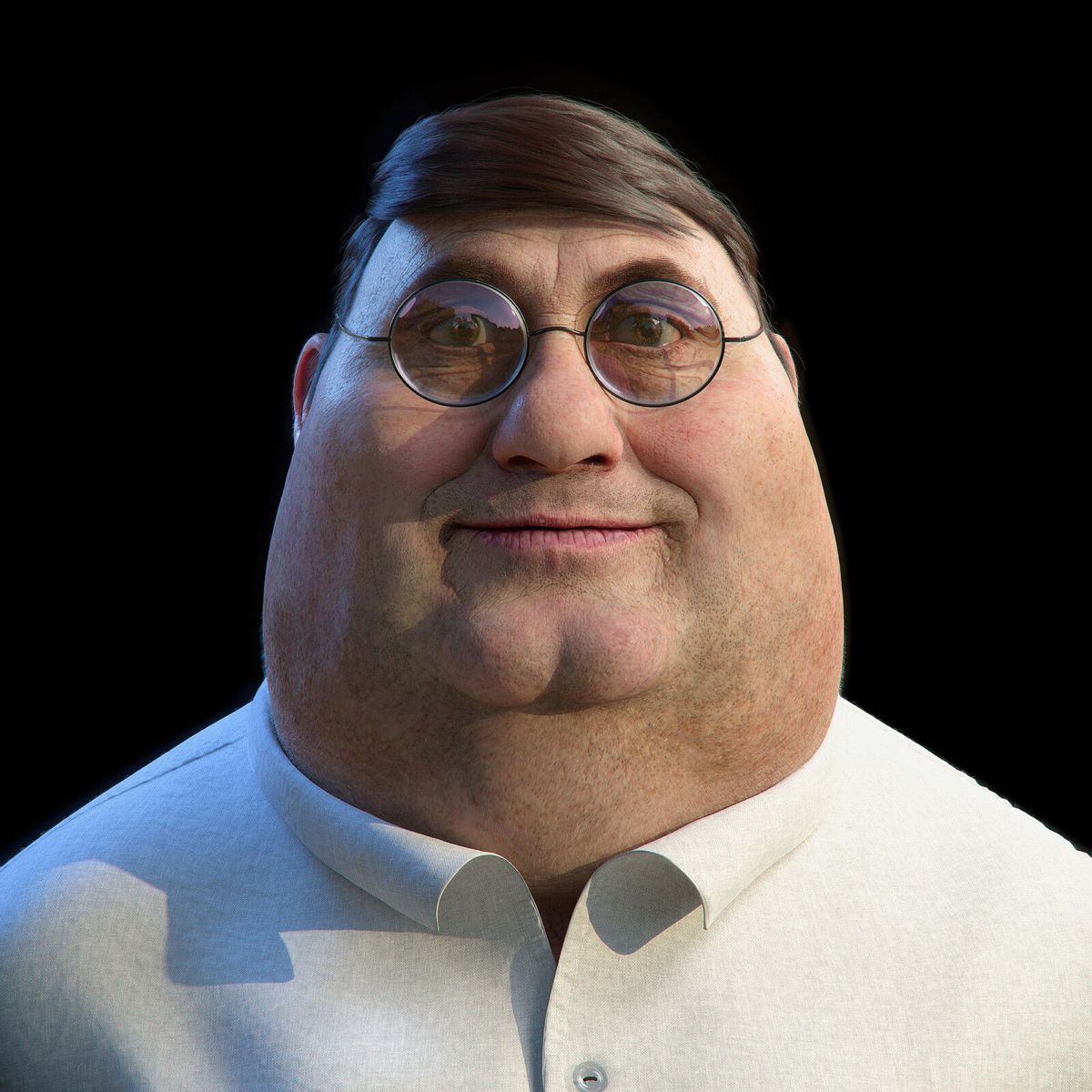
Get the MiniMax H3 Pika Person Swap workflow from Civitai, load these files in its loaders, type the same words, and set the Seed to 6202 and fixed. Then press Run. Results can differ a little on another graphics card. Stuck? Ask in the AusBoss Discord.
Turn on Describe @1 for me on the Extras card. It needs the Qwen3-VL 8B file the Guide lists.
That zip holds the workflow set up exactly as it ran for this example, with its input files and the result. It may be out of date: for the newest workflow, use the Civitai link above, or get it in the AusBoss Discord.
The same clip and picture as above, now with a 10 second voice clip plugged into the writer's voice socket and the words typed in quotes. Keep the clip's sound is off, so the new mouth follows the new voice.
@1person+ @2+ @3+ @4videoswap the personThe prompt it wrote six parts, sent to H3
subject_definitions:
<Video 1> supplies the place, the action, the timing, the camera movement and the look.
<Subject 1> is the man in the suit holding an ice cream in <Video 1>, selected for replacement.
<Subject 2> is the person in <Picture 1>, with the same face and this appearance: a man with short brown hair, round wire-framed glasses, and a balding scalp with faint stubble on the cheeks. The background and lighting of <Picture 1> are not transferred.
<Audio 1> is the voice-timbre reference for <Subject 2> (S1).

summary:
[video editing + audio reference] Replace <Subject 1> with <Subject 2> while preserving the original action, place, camera and look of <Video 1>. <Audio 1> guides the voice timbre of <Subject 2> without copying the original audio signal.

retention_analysis:
<Video 1>: partially_preserved - keep the place, the action, the timing, the camera movement and the look; change only the person.
<Subject 1>: removed - replace the man in the suit holding an ice cream with <Subject 2> throughout.
<Subject 2> (appears in [Shot 1]): attribute_transfer - apply the defined appearance to the original performance; the background of <Picture 1> is not transferred.
<Audio 1>: reference - the target speaker follows <Audio 1>'s voice timbre and delivery without copying the source signal.

detailed_description:
Retain the look of <Video 1>.
[Shot 1] <Subject 2> occupies the starting position of the man in the suit holding an ice cream and follows the same route, movements, timing and pace. <Subject 2> has the defined appearance from <Picture 1>: a man with short brown hair, round wire-framed glasses, and a balding scalp with faint stubble on the cheeks. The replacement stays present throughout, from the first frame, ending at the original performance's final position. Do not show the man in the suit holding an ice cream in that role at any time; there is no transition or morph into the replacement. Everyone else stays as they are in <Video 1>. <Subject 2> (S1) speaks using the voice timbre referenced from <Audio 1>, each word landing exactly on the lip movement of <Video 1>, and says, <d>[Mandarin Chinese] 早上好中国!现在我有冰淇淋。我很喜欢冰淇淋。.</d> The jaw and lips of <Subject 2> move clearly through every word. <Subject 2> closes the lips. The camera follows the movement of <Video 1>.

overall_soundscape:
The steady sound of the place continues throughout. No other words are spoken.

non_diegetic_music:
N/A
Why it works
- Plug a voice clip into voice and put what they say in quotes. Put the spoken line last.
- Turn Keep the clip's sound off, or the clip's own voice comes back.
- Set Language to the language of the words in quotes.
Try it yourself
Get the MiniMax H3 Pika Person Swap workflow from Civitai, load these files in its loaders, type the same words, and set the Seed to 6202 and fixed. Then press Run. Results can differ a little on another graphics card. Stuck? Ask in the AusBoss Discord.
Turn on Describe @1 for me on the Extras card. It needs the Qwen3-VL 8B file the Guide lists.
The same clip and picture, in two runs. The first swaps the face and keeps the clip's own sound, so the mouth follows every word. The second keeps that picture and gives the new face a voice from a 10 second clip. The clip had loud sound effects over the voice, so its sound was cleaned to the voice alone first.
First run: swap the face, keep the clip's sound
One line saying who goes. Keep the clip's sound is on, so the clip's voice moves the new mouth through the whole clip.
@1person+ @2+ @3+ @4videoswap the personThe prompt it wrote six parts, sent to H3
subject_definitions:
<Video 1> supplies the place, the action, the timing, the camera movement and the look.
<Subject 1> is the man in the suit holding an ice cream in <Video 1>, selected for replacement.
<Subject 2> is the person in <Picture 1>, with the same face and this appearance: a man with short brown hair and round wire-framed glasses. The background and lighting of <Picture 1> are not transferred.

summary:
[video editing + audio reuse] Replace <Subject 1> with <Subject 2> while preserving the original action, place, camera and look of <Video 1>.

retention_analysis:
<Video 1>: partially_preserved - keep the place, the action, the timing, the camera movement and the look; change only the person.
<Subject 1>: removed - replace the man in the suit holding an ice cream with <Subject 2> throughout.
<Subject 2> (appears in [Shot 1]): attribute_transfer - apply the defined appearance to the original performance; the background of <Picture 1> is not transferred.

detailed_description:
Retain the look of <Video 1>.
[Shot 1] <Subject 2> occupies the starting position of the man in the suit holding an ice cream and follows the same route, movements, timing and pace. <Subject 2> has the defined appearance from <Picture 1>: a man with short brown hair and round wire-framed glasses. The replacement stays present throughout, from the first frame, ending at the original performance's final position. Do not show the man in the suit holding an ice cream in that role at any time; there is no transition or morph into the replacement. Everyone else stays as they are in <Video 1>. <Subject 2> speaks as in <Video 1>, each word landing exactly on the lip movement of <Video 1>. The camera follows the movement of <Video 1>.

overall_soundscape:
The original sound of <Video 1> continues throughout.

non_diegetic_music:
N/A
Second run: the new voice
The first run's clip goes in as the video, with no picture. The video job is new voice, a voice clip goes into the writer's voice socket, and the words are typed with the time each one starts.
The prompt it wrote six parts, sent to H3
subject_definitions:
<Video 1> is the source video for the target video edit.
<Subject 1> is the person speaking in <Video 1>, with the same face, hair and clothing.
<Audio 1> is the voice-timbre reference for <Subject 1> (S1).

summary:
[video editing + audio reference] The target video is an edited version of <Video 1>. The picture, the timing and the lip movement stay as they are, and <Subject 1> speaks in a new voice. <Audio 1> guides the voice timbre of <Subject 1> without copying the original audio signal.

retention_analysis:
<Video 1> (whole video): fully_preserved - every action, lip movement and camera move is retained.
<Subject 1> (appears in [Shot 1]): fully_preserved - the face, hair and clothing are retained.
<Audio 1>: reference - the target speaker follows <Audio 1>'s voice timbre and delivery without copying the source signal.

detailed_description:
The target video keeps the look, light and camera of <Video 1>. One continuous shot with no cuts.
[Shot 1] <Subject 1> (S1) speaks using the voice timbre referenced from <Audio 1>, each word landing exactly on the lip movement of <Video 1>, and says, <d>[Chinese] 早上好中国,现在我有冰淇淋。.</d> The jaw and lips of <Subject 1> move clearly through every word. <Subject 1> closes the lips. At 00:03.300, <Subject 1> (S1) speaks using the voice timbre referenced from <Audio 1>, each word landing exactly on the lip movement of <Video 1>, and says, <d>[Chinese] 我很喜欢冰淇淋。.</d> The jaw and lips of <Subject 1> move clearly through every word. <Subject 1> closes the lips. At 00:04.800, <Subject 1> (S1) speaks using the voice timbre referenced from <Audio 1>, each word landing exactly on the lip movement of <Video 1>, and says, <d>[Chinese] 但是,速度与激情9,比冰淇淋。.</d> The jaw and lips of <Subject 1> move clearly through every word. <Subject 1> closes the lips.

overall_soundscape:
Quiet room tone continues throughout with faint fabric movement and soft breathing. No other words are spoken.

non_diegetic_music:
N/A
Why it works
- Swapping the face with the clip's own sound on keeps the new face steady, because that sound steers the mouth.
- New voice keeps the picture, timing and lip movement of its video and changes only the voice.
- Typing a time before each line, like
3.3s:, keeps the new voice on the clip's lip movement. - Loud sound effects over a voice can throw the swap off. Use a clip, or a part of one, where the voice is clean.
Try it yourself
Get the MiniMax H3 Pika Person Swap workflow from Civitai, load these files in its loaders, type the same words, and set the Seed to 6202 and fixed. Then press Run. Results can differ a little on another graphics card. Stuck? Ask in the AusBoss Discord.
Run it twice. First the swap, with Keep the clip's sound and Describe @1 for me on. Then load that result as the video, pick new voice, plug the voice clip into the writer's voice socket, set Language to Chinese and type the three lines with their times.
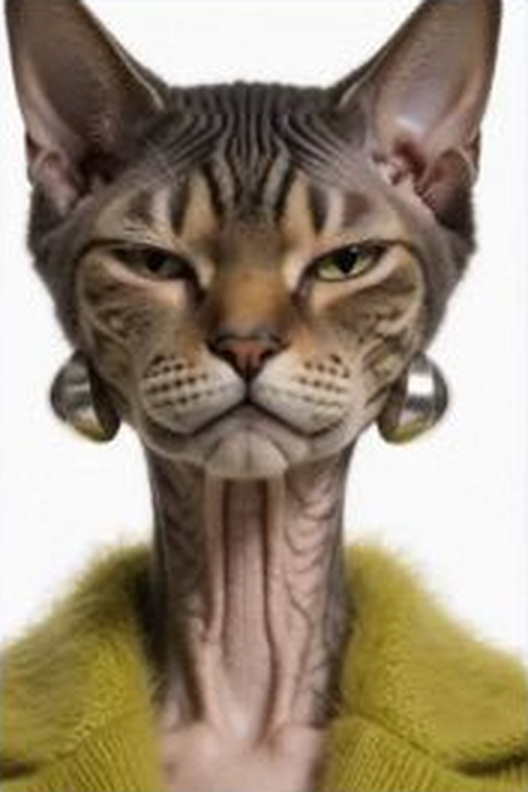
A worker dances in a shop. The picture is a made-up character with a cat's head, and she takes over the whole dance, step for step.
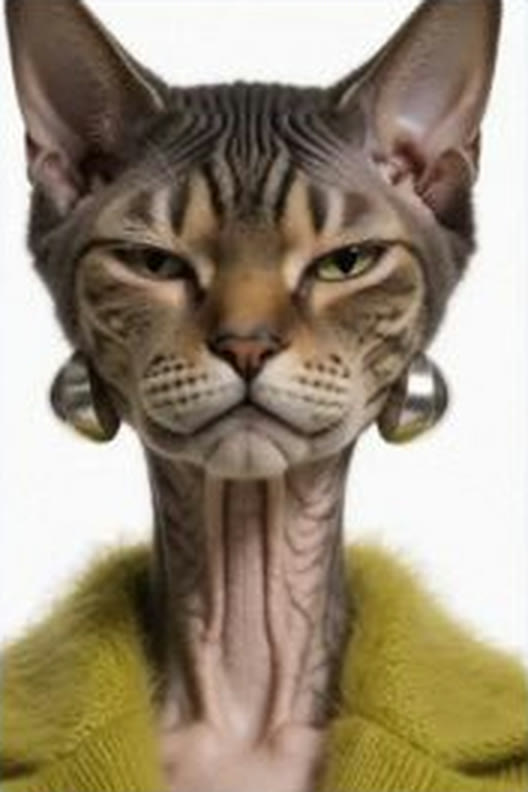 @1person+ @2+ @3+ @4videoswap the person
The prompt it wrote six parts, sent to H3
subject_definitions:
<Video 1> supplies the place, the action, the timing, the camera movement and the look.
<Subject 1> is the young man in the white shirt and face mask dancing in front in <Video 1>, selected for replacement.
<Subject 2> is the person in <Picture 1>, with the same face and this appearance: a woman, smooth bald scalp, and a cat-like face with large ears and striped fur pattern. The background and lighting of <Picture 1> are not transferred.

summary:
[video editing] Replace <Subject 1> with <Subject 2> while preserving the original action, place, camera and look of <Video 1>.

retention_analysis:
<Video 1>: partially_preserved - keep the place, the action, the timing, the camera movement and the look; change only the person.
<Subject 1>: removed - replace the young man in the white shirt and face mask dancing in front with <Subject 2> throughout.
<Subject 2> (appears in [Shot 1]): attribute_transfer - apply the defined appearance to the original performance; the background of <Picture 1> is not transferred.

detailed_description:
Retain the look of <Video 1>.
[Shot 1] <Subject 2> occupies the starting position of the young man in the white shirt and face mask dancing in front and follows the same route, movements, timing and pace. <Subject 2> has the defined appearance from <Picture 1>: a woman, smooth bald scalp, and a cat-like face with large ears and striped fur pattern. The replacement stays present throughout, from the first frame, ending at the original performance's final position. Do not show the young man in the white shirt and face mask dancing in front in that role at any time; there is no transition or morph into the replacement. Everyone else stays as they are in <Video 1>. The camera follows the movement of <Video 1>.

overall_soundscape:
The steady sound of the place continues throughout.

non_diegetic_music:
N/A
Why it works
- The new character copies the whole move, arms and feet included.
- Clothes in the picture come along too, here the green jacket.
- Name the one to replace so the other dancer in the back stays as he is.
Try it yourself
Get the MiniMax H3 Pika Person Swap workflow from Civitai, load these files in its loaders, type the same words, and set the Seed to 6202 and fixed. Then press Run. Results can differ a little on another graphics card. Stuck? Ask in the AusBoss Discord.
Turn on Describe @1 for me on the Extras card. It needs the Qwen3-VL 8B file the Guide lists.
That zip holds the workflow set up exactly as it ran for this example, with its input files and the result. It may be out of date: for the newest workflow, use the Civitai link above, or get it in the AusBoss Discord.
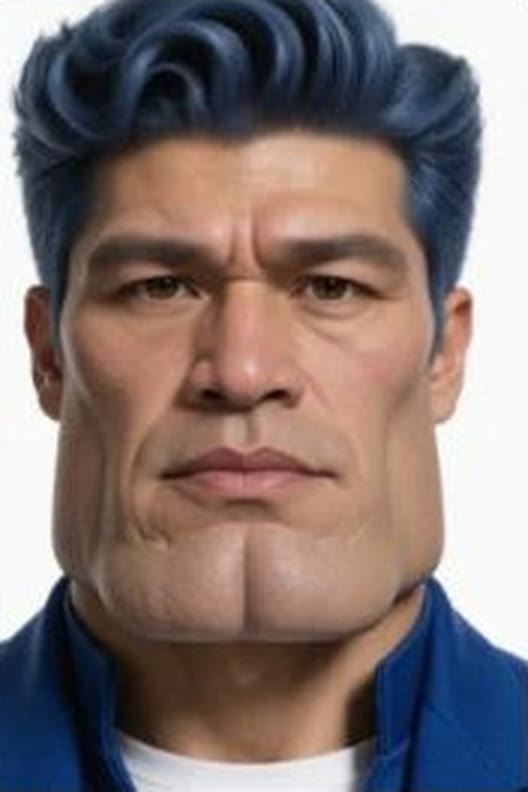
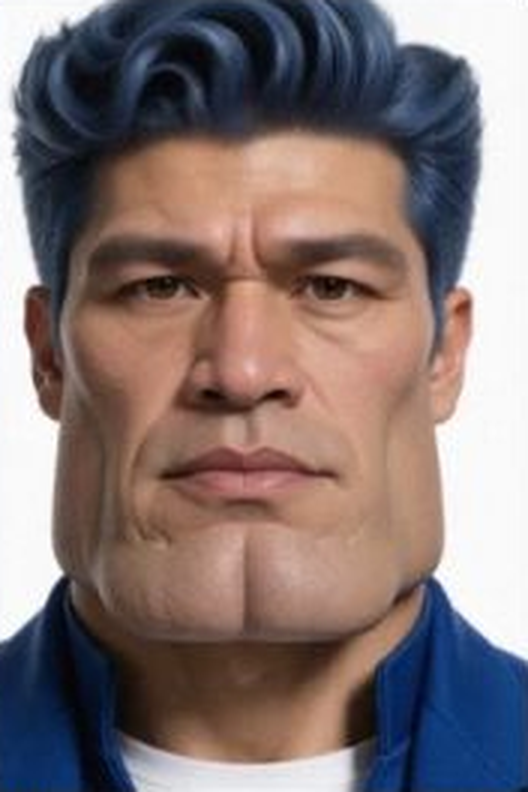
A short reaction shot of a man saying no. The picture is a made-up character with tall blue hair.
 @1person+ @2+ @3+ @4videoswap the person
The prompt it wrote six parts, sent to H3
subject_definitions:
<Video 1> supplies the place, the action, the timing, the camera movement and the look.
<Subject 1> is the man in the checked shirt in <Video 1>, selected for replacement.
<Subject 2> is the person in <Picture 1>, with the same face and this appearance: a man with voluminous, styled blue hair. The background and lighting of <Picture 1> are not transferred.

summary:
[video editing + audio reuse] Replace <Subject 1> with <Subject 2> while preserving the original action, place, camera and look of <Video 1>.

retention_analysis:
<Video 1>: partially_preserved - keep the place, the action, the timing, the camera movement and the look; change only the person.
<Subject 1>: removed - replace the man in the checked shirt with <Subject 2> throughout.
<Subject 2> (appears in [Shot 1]): attribute_transfer - apply the defined appearance to the original performance; the background of <Picture 1> is not transferred.

detailed_description:
Retain the look of <Video 1>.
[Shot 1] <Subject 2> occupies the starting position of the man in the checked shirt and follows the same route, movements, timing and pace. <Subject 2> has the defined appearance from <Picture 1>: a man with voluminous, styled blue hair. The replacement stays present throughout, from the first frame, ending at the original performance's final position. Do not show the man in the checked shirt in that role at any time; there is no transition or morph into the replacement. Everyone else stays as they are in <Video 1>. <Subject 2> speaks as in <Video 1>, each word landing exactly on the lip movement of <Video 1>. The camera follows the movement of <Video 1>.

overall_soundscape:
The original sound of <Video 1> continues throughout.

non_diegetic_music:
N/A
Why it works
- Short clips are quick: this one took 22 seconds on the card.
- The clip's own sound drives the mouth, so the line still lands on time.
Try it yourself
Get the MiniMax H3 Pika Person Swap workflow from Civitai, load these files in its loaders, type the same words, and set the Seed to 6202 and fixed. Then press Run. Results can differ a little on another graphics card. Stuck? Ask in the AusBoss Discord.
Turn on Describe @1 for me on the Extras card. It needs the Qwen3-VL 8B file the Guide lists.
That zip holds the workflow set up exactly as it ran for this example, with its input files and the result. It may be out of date: for the newest workflow, use the Civitai link above, or get it in the AusBoss Discord.
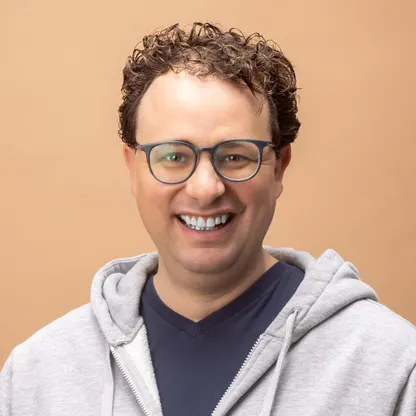
A young man reacts with wide eyes and a shout. The picture is a plain photo of a man with curly hair and glasses.
 @1person+ @2+ @3+ @4videoswap the person
The prompt it wrote six parts, sent to H3
subject_definitions:
<Video 1> supplies the place, the action, the timing, the camera movement and the look.
<Subject 1> is the young man in the navy polo shirt in <Video 1>, selected for replacement.
<Subject 2> is the person in <Picture 1>, with the same face and this appearance: a man with curly brown hair and wearing dark-framed glasses, clean-shaven face. The background and lighting of <Picture 1> are not transferred.

summary:
[video editing + audio reuse] Replace <Subject 1> with <Subject 2> while preserving the original action, place, camera and look of <Video 1>.

retention_analysis:
<Video 1>: partially_preserved - keep the place, the action, the timing, the camera movement and the look; change only the person.
<Subject 1>: removed - replace the young man in the navy polo shirt with <Subject 2> throughout.
<Subject 2> (appears in [Shot 1]): attribute_transfer - apply the defined appearance to the original performance; the background of <Picture 1> is not transferred.

detailed_description:
Retain the look of <Video 1>.
[Shot 1] <Subject 2> occupies the starting position of the young man in the navy polo shirt and follows the same route, movements, timing and pace. <Subject 2> has the defined appearance from <Picture 1>: a man with curly brown hair and wearing dark-framed glasses, clean-shaven face. The replacement stays present throughout, from the first frame, ending at the original performance's final position. Do not show the young man in the navy polo shirt in that role at any time; there is no transition or morph into the replacement. Everyone else stays as they are in <Video 1>. The camera follows the movement of <Video 1>.

overall_soundscape:
The original sound of <Video 1> continues throughout.

non_diegetic_music:
N/A
Why it works
- Big expressions carry over: the wide eyes and the open-mouth shout are the clip's.
- A clear front photo is the best picture to start from.
Try it yourself
Get the MiniMax H3 Pika Person Swap workflow from Civitai, load these files in its loaders, type the same words, and set the Seed to 6202 and fixed. Then press Run. Results can differ a little on another graphics card. Stuck? Ask in the AusBoss Discord.
Turn on Describe @1 for me on the Extras card. It needs the Qwen3-VL 8B file the Guide lists.
That zip holds the workflow set up exactly as it ran for this example, with its input files and the result. It may be out of date: for the newest workflow, use the Civitai link above, or get it in the AusBoss Discord.